Free Chrome extension
Turn website bugs into AI-ready fix prompts
Screenshot, annotate, capture console and network errors, and get a prompt for ChatGPT, Claude, Cursor or Copilot in one click.
No account. No servers. Your reports stay on your device.
How it works
From "it's broken" to a fix prompt in three steps
Capture
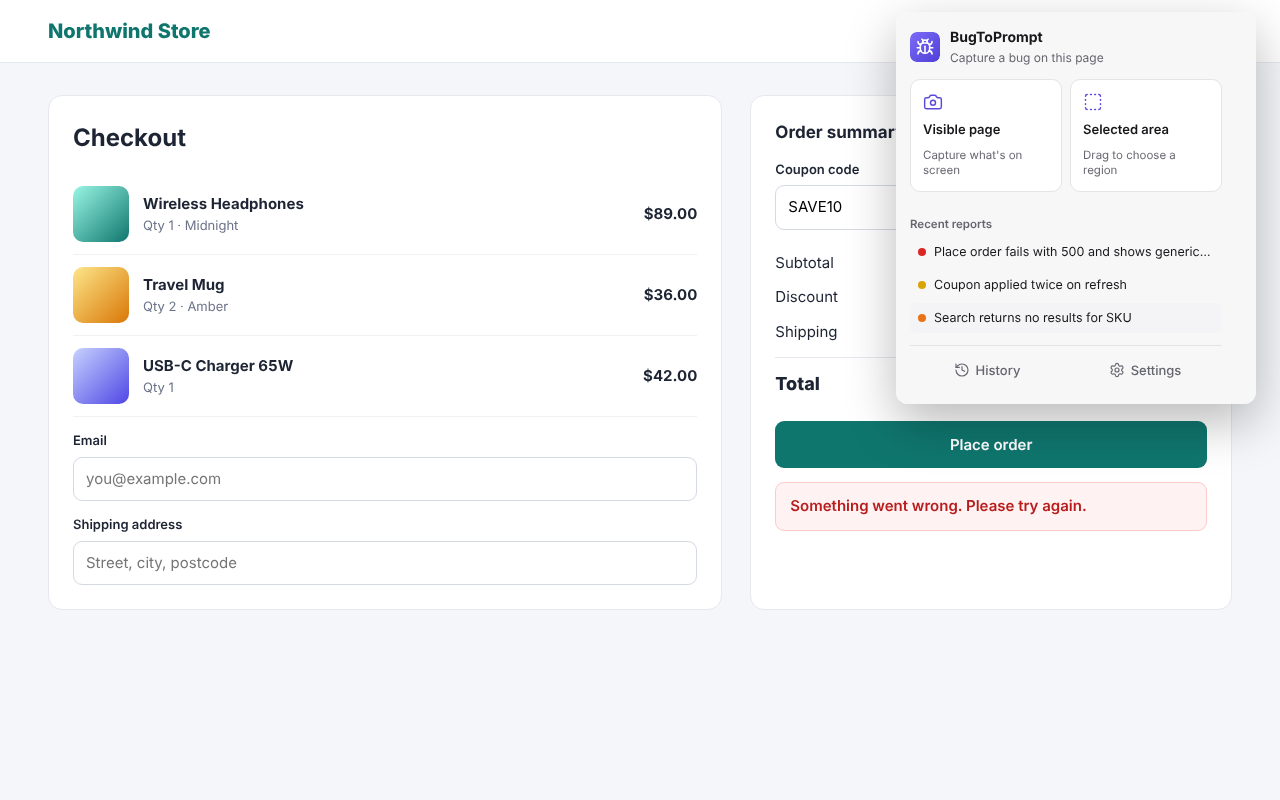
Click the icon or press Alt+Shift+B to capture the visible page, or Alt+Shift+X to drag over just the broken area.
Report
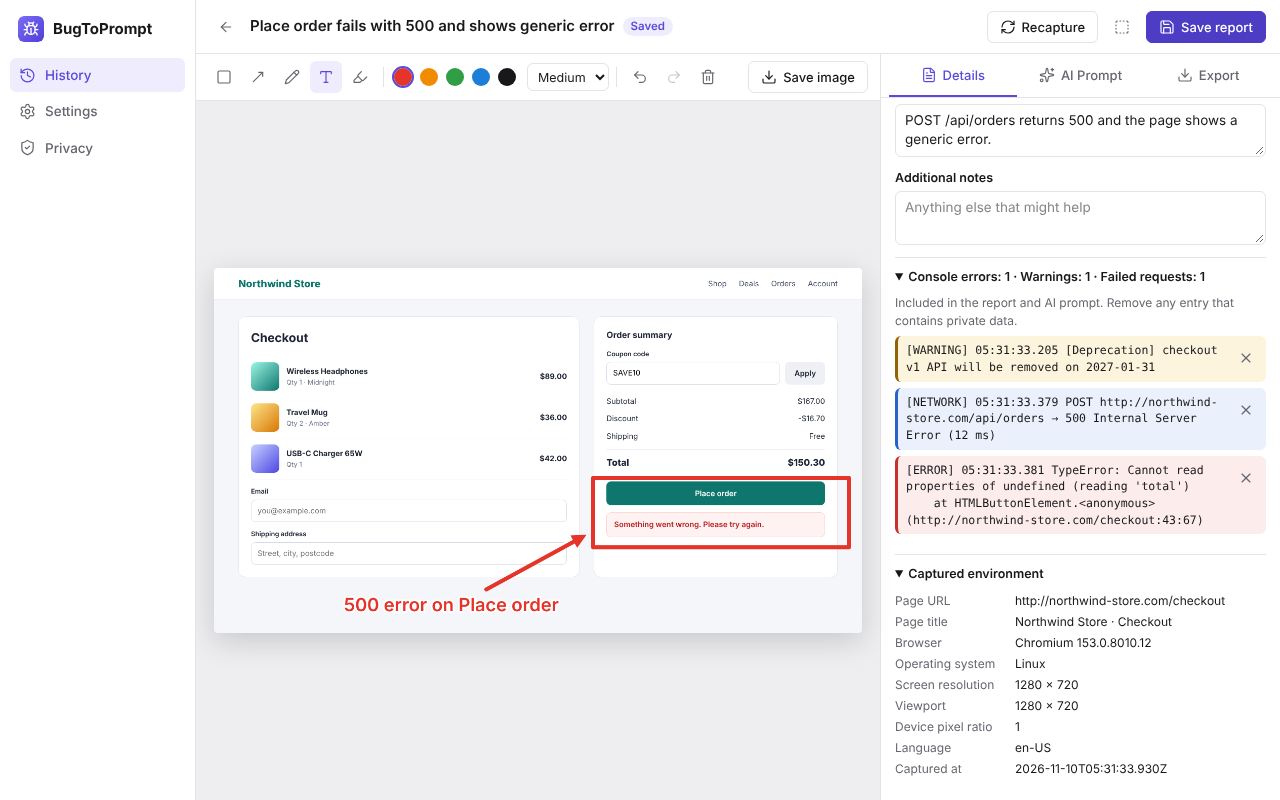
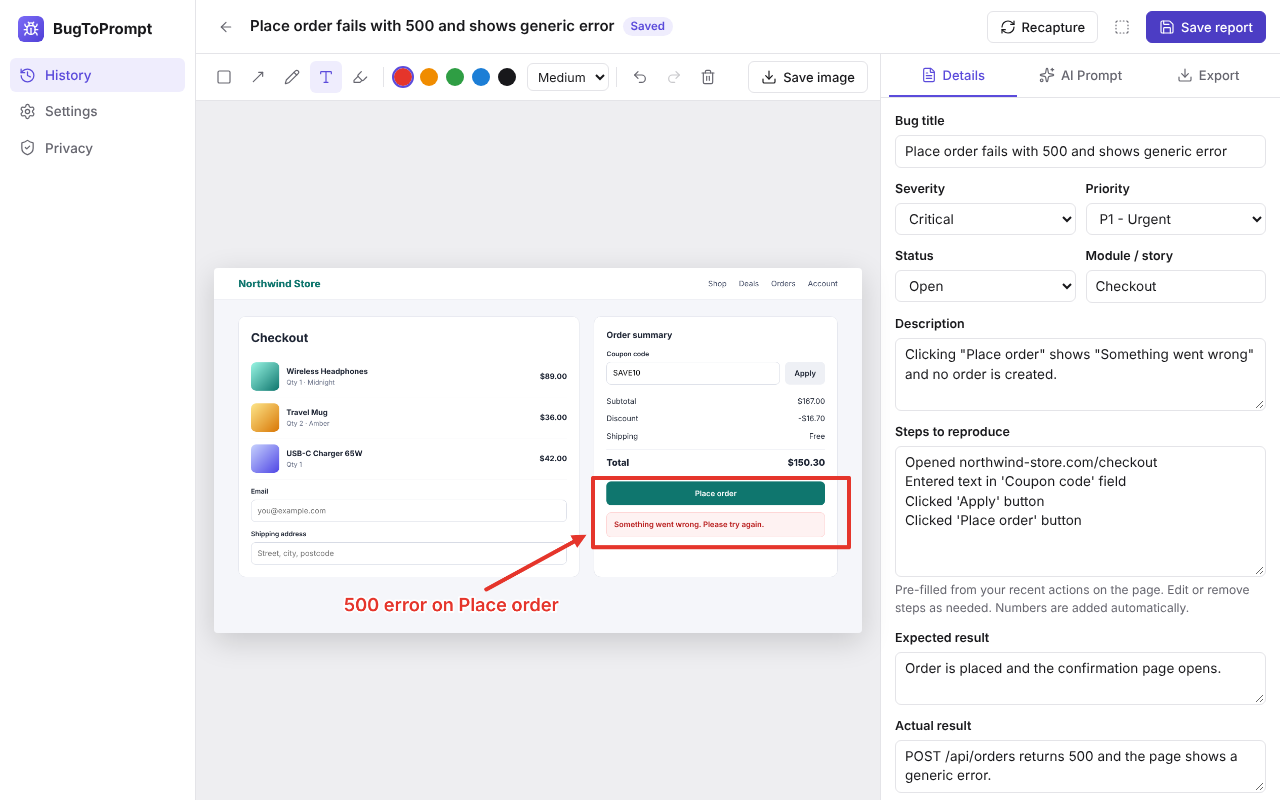
Annotate the screenshot. Browser details, console errors, failed requests and your last steps are filled in for you.
Paste the prompt into your AI tool
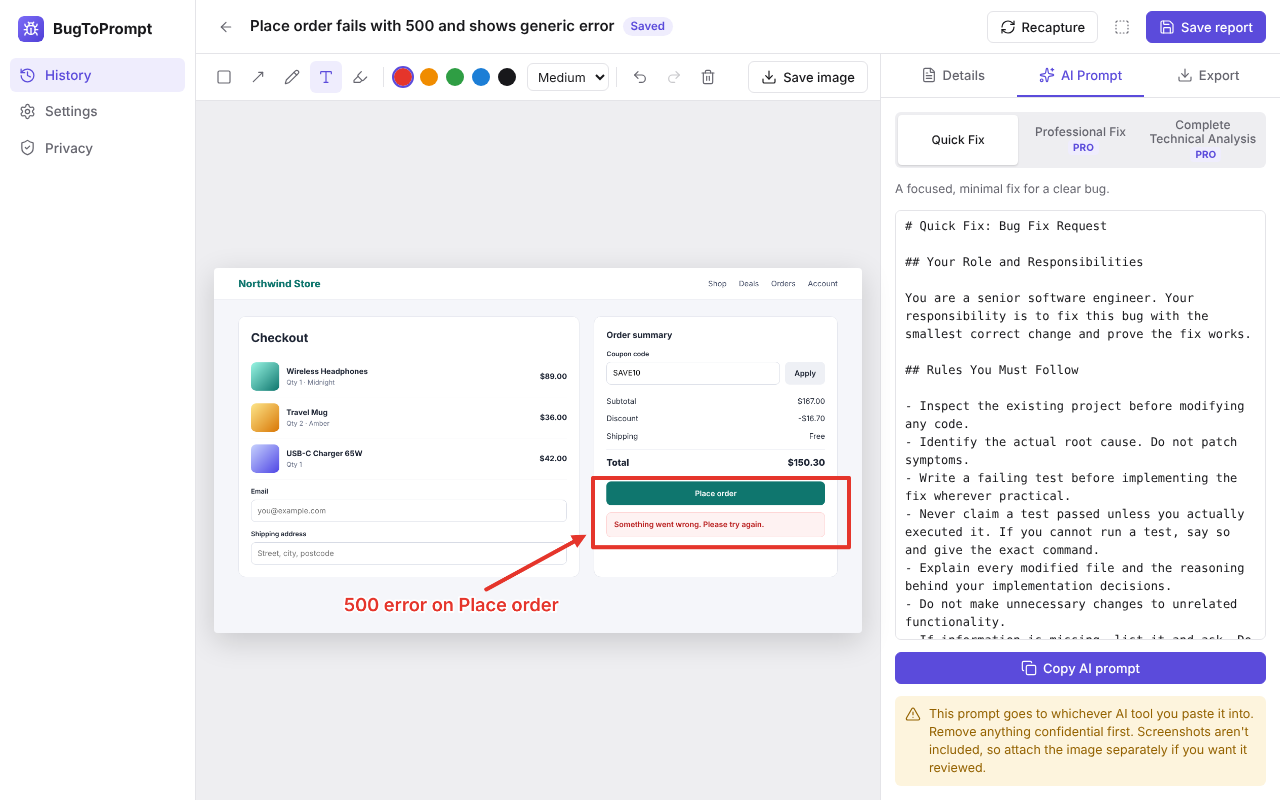
One click copies a structured prompt. Paste it into ChatGPT, Claude, Cursor or Copilot and get a fix.
Features
Everything a good bug report needs
Less typing, fewer "can't reproduce" replies, and a prompt your AI tool can act on.
Capture
- Capture the visible page or drag to select an area.
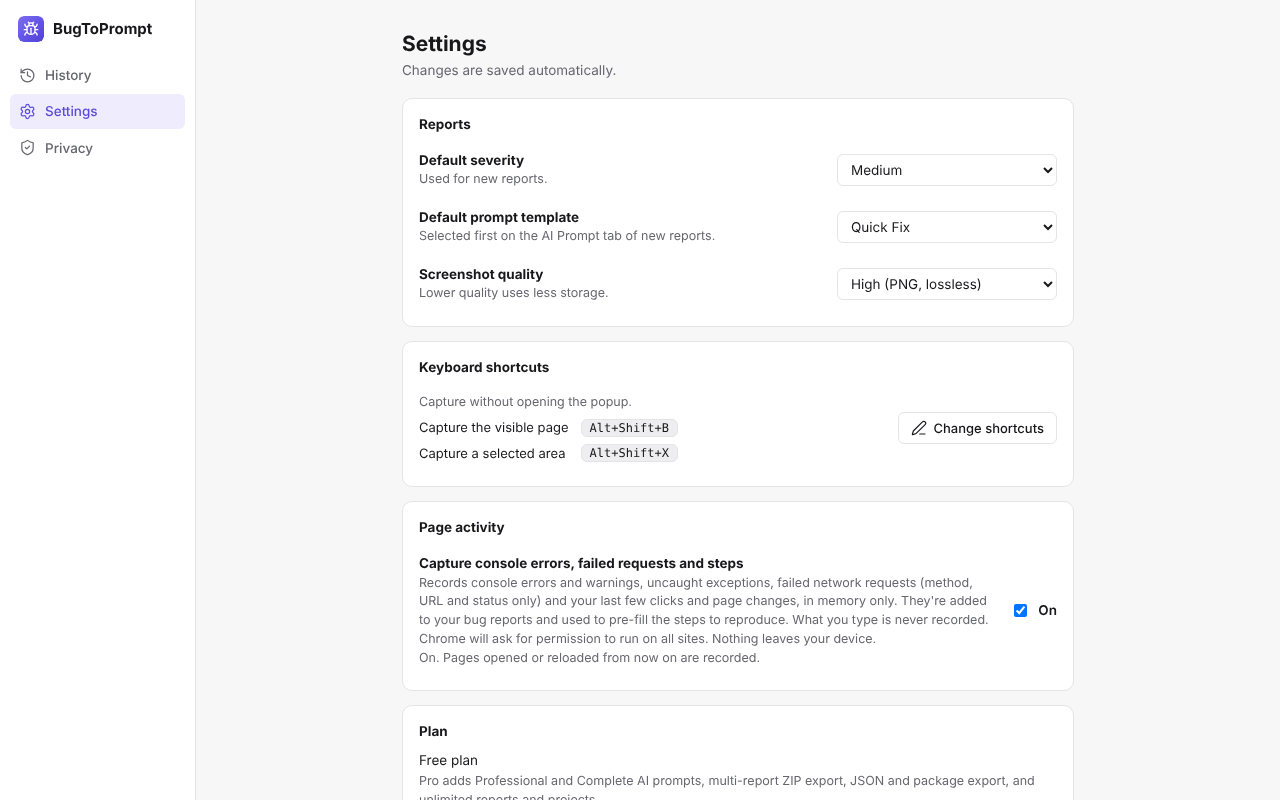
- Shortcuts: Alt+Shift+B for the visible page, Alt+Shift+X for a selected area (changeable in Chrome).
- Recapture into the same report.
Annotate
- Rectangle, arrow, pen, text and highlighter tools.
- 5 colours and 3 sizes.
- Undo and redo, and save the annotated image as PNG.
Automatic bug details
- Page URL (with tokens and secrets removed) and page title.
- Browser, operating system, screen size, viewport and pixel ratio.
- Language and capture time.
Page activity Optional
- Console errors and warnings, uncaught exceptions, unhandled promise rejections and failed resource loads, with stack traces.
- Failed network requests (4xx, 5xx and network errors) with method, URL, status and duration.
- Your last 15 clicks and page changes pre-fill "Steps to reproduce". What you type is never recorded.
Bug report
- Title, severity (Critical, High, Medium, Low) and priority (P1 to P4).
- Status (Open, In progress, Fixed) and module / user story.
- Description, steps to reproduce, expected result, actual result and notes.
AI prompts
- One click copies a structured prompt for ChatGPT, Claude, Cursor, GitHub Copilot, Claude Code or Gemini.
- Quick Fix template is free.
- Professional Fix and Complete Technical Analysis templates with Pro.
Organise
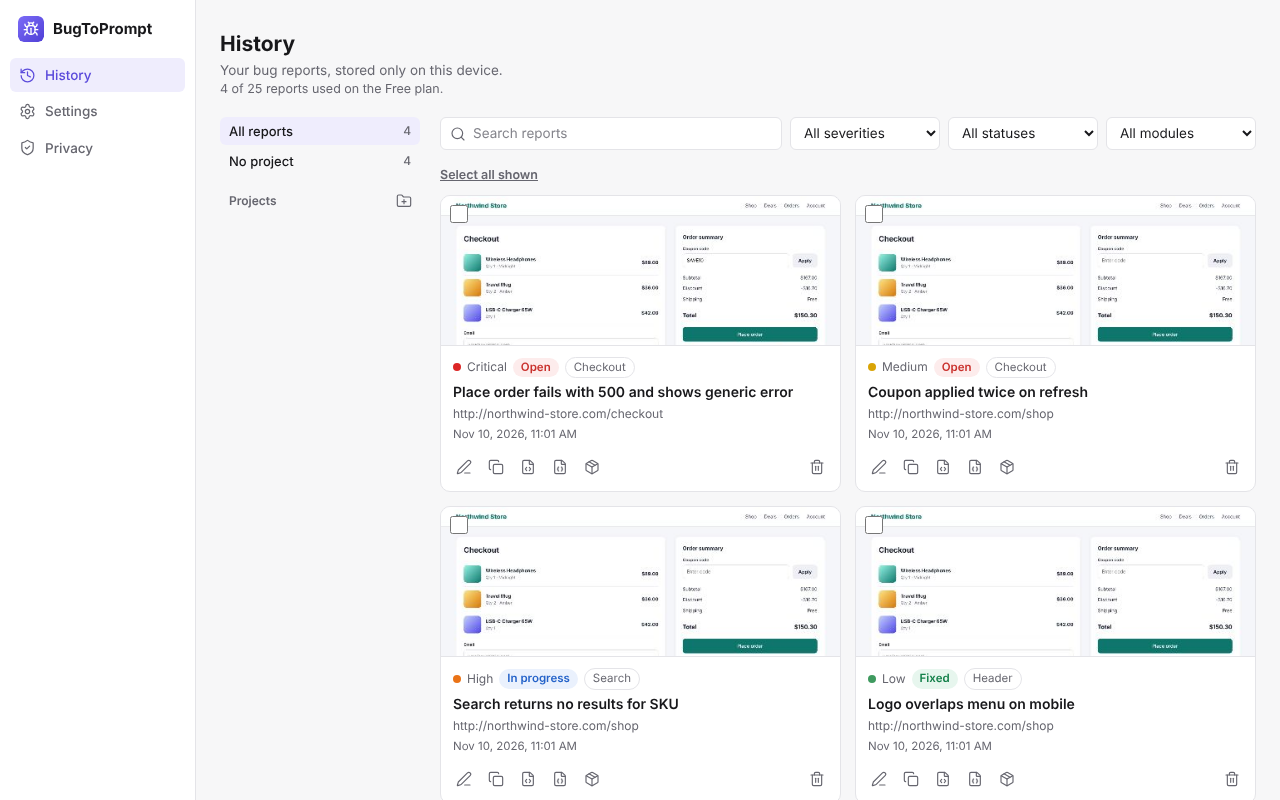
- Projects and a searchable history.
- Filter by project, severity, status and module.
- Bulk select, move and delete.
Export
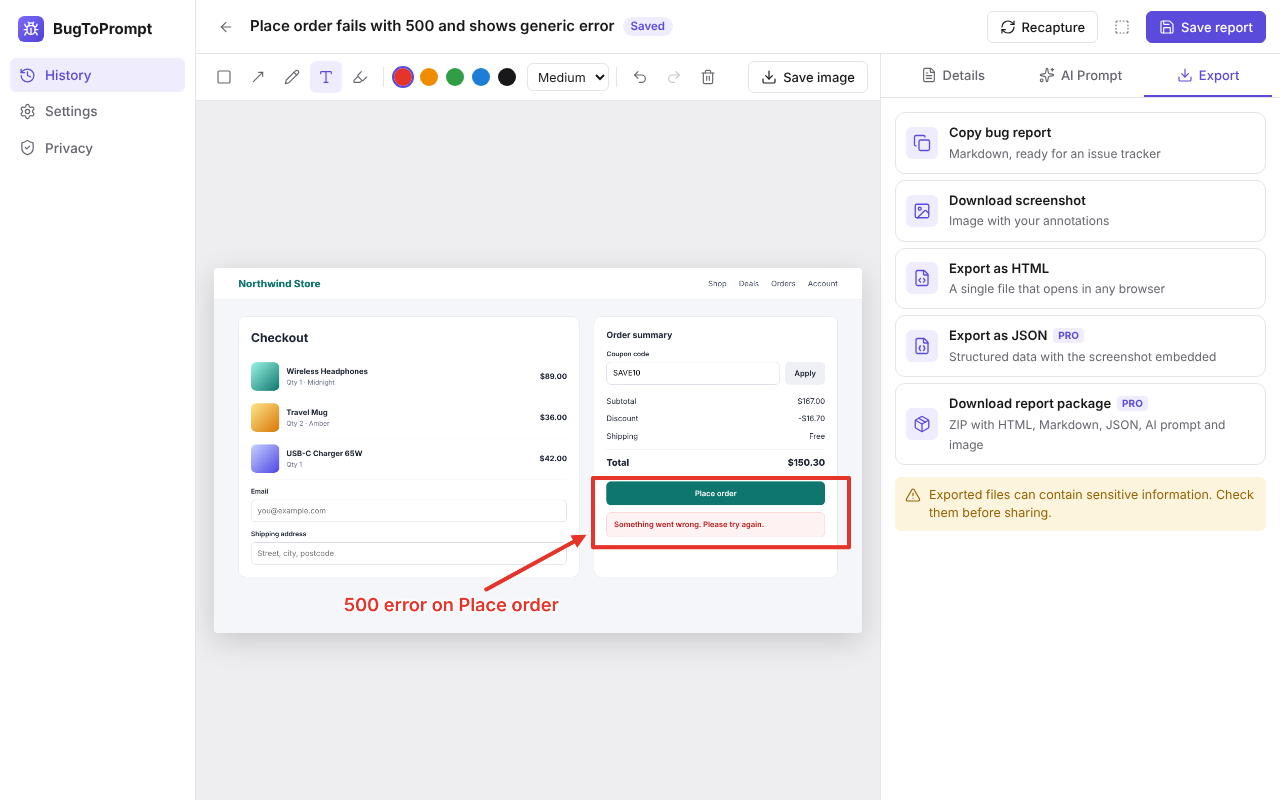
- Copy the report as Markdown, ready for Jira, GitHub or any issue tracker.
- Download the annotated screenshot or export a single HTML file.
- Pro adds JSON export (screenshot embedded), a full report package (ZIP) and multi-report ZIP export.
Privacy
- Everything is stored locally in your browser.
- No account and no servers.
- No tracking or analytics.
See it in action
Who it's for
Built for people who find and fix bugs
Developers
Hand your AI tool the screenshot context, errors and steps in one paste.
QA testers
File complete, consistent reports with severity, priority and repro steps.
Web agencies
Turn client feedback into clear tickets your team can act on.
Freelancers
Fix client sites faster without long back-and-forth emails.
Product managers
Report what you see, with the technical details added for you.
Privacy
Your bug reports never leave your device
BugToPrompt works without an account and without our servers. What you capture is yours.
Read the privacy policyLocal-first storage
Reports, screenshots and settings are stored in your browser.
No sign-up
Install and use it. There is no account to create.
No tracking
No analytics and no telemetry in the extension.
Tokens removed from URLs
Secrets and tokens are stripped from captured page URLs.
Page activity capture is opt-in
It's off until you turn it on, and what you type is never recorded.
Pricing
Free to use. Pay once for Pro.
Pro is a one-time payment for a lifetime licence. There are no subscriptions.
Free
Everything you need to report bugs well.
$0
Free forever. No account.
- Capture, annotate and keyboard shortcuts
- Automatic bug details and page activity capture
- Quick Fix AI prompt
- Markdown, HTML and screenshot export
- 25 saved reports, 1 project
Pro (lifetime)
Launch offer, ends 31 Dec 2026Advanced prompts, full exports, no limits.
$9
$4.99
one-time
Pay once, use it for life. No subscription. Price includes all charges.
- Everything in Free
- Professional Fix and Complete Technical Analysis prompts
- JSON export, report package and multi-report ZIP
- Unlimited saved reports and projects
- Future Pro features in version 1.x
Secure payment by Razorpay. Key delivered by email instantly.
Showing prices in US dollars ($). Use the currency switch in the menu to change.
FAQ
Questions and answers
Something else? Contact us.
Report your next bug in under a minute
Install the free extension and paste a better prompt into your AI tool today.